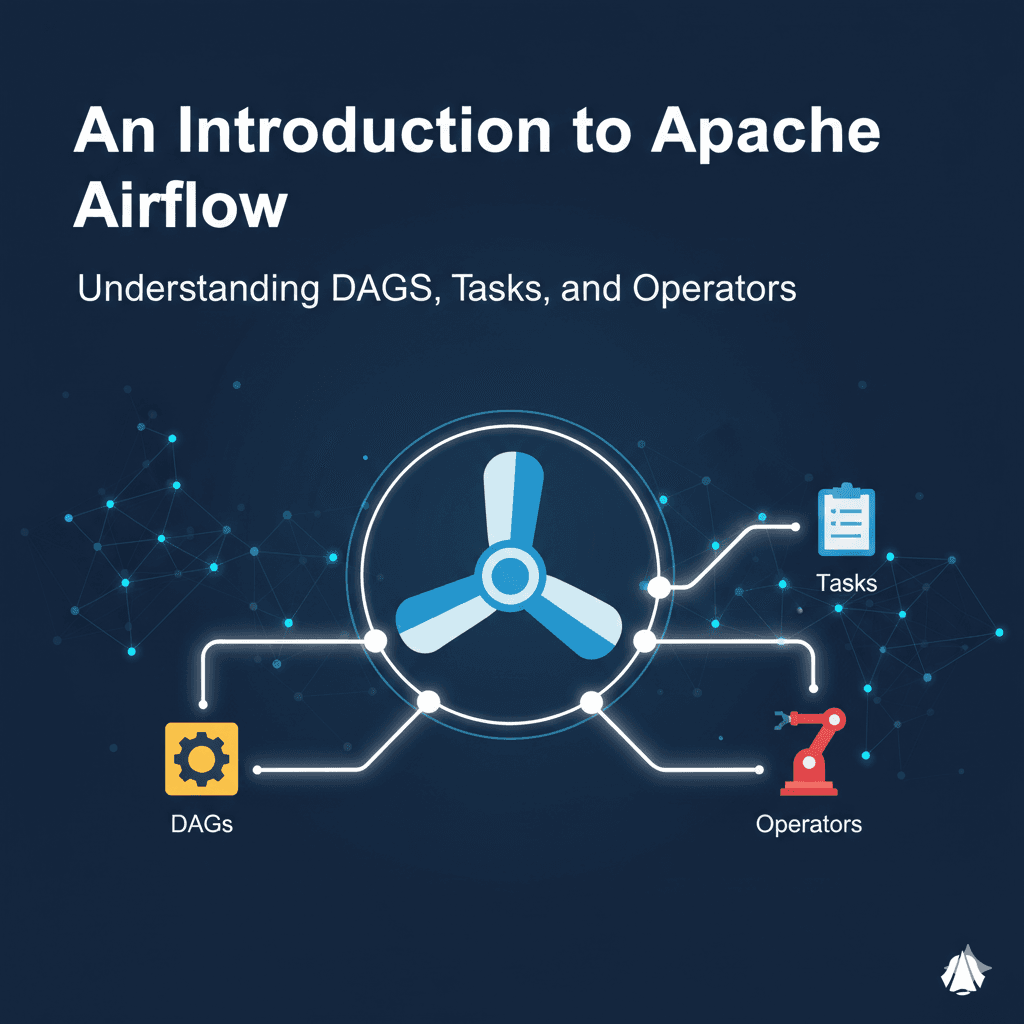
Have you ever dealt with workflows like these?
- Running Python scripts every morning just to fetch data from an API
- Waiting for cron jobs to finish while manually checking logs
- Discovering failures hours after they actually happened
- Executing multiple scripts in sequence—still entirely manual
If this sounds familiar, your workflow may be missing one thing: a proper orchestration system.
That’s where Apache Airflow comes in.
Airflow helps you define, schedule, execute, and monitor data pipelines in a structured and reliable way—from end to end.
In this article, we’ll start with the fundamentals—no documentation required. We’ll cover:
- What Apache Airflow is (and why data engineers rely on it)
- Core concepts like DAGs, Tasks, and Operators
- Simple analogies to make the terminology intuitive
- Essential operator types you should know
- Airflow’s strengths and limitations—honestly
- When Airflow is the right tool, and when it isn’t
If your daily workflow is starting to feel like a collection of fragile scripts and unclear cron jobs, this might be your entry point into a more robust approach to data pipeline orchestration.
What Is Apache Airflow?
Apache Airflow is like a director behind the scenes that orchestrates automated processes. It doesn’t do the work itself—instead, it gives clear instructions:
“First, fetch the data. Then clean it. Finally, store it in the database.”
Rather than running scripts one by one manually (and risking missed steps or incorrect execution order), Airflow helps you define what should run, in what order, and when—automatically and on schedule—all from a single place.
Airflow is built with Python, and workflows are defined using Python code. Don’t worry, though—the core idea is simple. You describe a list of tasks, define their dependencies (what runs first and what comes next), and schedule when the workflow should execute.
So, what can Airflow help you with?
- Automating tasks: From data extraction and transformation to loading results into storage
- Managing task dependencies: Ensuring each step runs in the correct order
- Monitoring through a web interface: Track running and completed workflows along with their statuses
- Scalability: Suitable for both small workflows and large-scale pipelines with many parallel tasks
If you’ve ever felt:
- Tired of running the same scripts every day
- Overwhelmed by tasks that depend on one another
- Or in need of a system that runs automatically and can be monitored anytime
Then Apache Airflow is designed to solve exactly those problems.
Core Concepts of Apache Airflow
Before going deeper into Airflow, it’s important to understand the three fundamental components that form its foundation: DAG, Task, and Operator. These concepts define how Airflow works as a workflow orchestrator.
1. DAG (Directed Acyclic Graph)
A DAG is the blueprint of your workflow. It defines the order of execution and the dependencies between tasks.
The term acyclic means the workflow cannot loop back on itself—once a task is completed, the flow must move forward until the entire process finishes.
2. Task
A Task is the smallest unit of work in a workflow. Each task performs a single, well-defined action—such as fetching data, transforming it, or sending a notification.
All tasks are placed inside a DAG and executed according to the dependencies defined there.
3. Operator
An Operator defines how a task is executed. Airflow provides various types of operators depending on the job you want to perform—running a Bash command, executing a Python function, querying a database, or triggering an external API.
In Simple Terms
- DAG = the structure and order of the workflow
- Task = a specific unit of work
- Operator = the mechanism used to execute that work
In the next section, we’ll use a more visual and relatable analogy—comparing Airflow to a production line in a bakery—to make these concepts even easier to grasp intuitively.
Airflow Analogy: An Automated Bakery
Imagine you own a modern, fully automated bakery. Every morning, bread must be produced through a clear sequence of steps: preparing ingredients, mixing the dough, baking it in the oven, then packaging and shipping the final product.
Apache Airflow acts as the brain of this factory. To make the analogy clearer, let’s break it down into three core components.
🧱 DAG = The Production Line
A DAG (Directed Acyclic Graph) is like the blueprint or production line of the factory. It defines:
- Which processes need to run
- The order in which they must execute
- Which steps can run in parallel
The DAG doesn’t perform any work by itself. It simply defines the structure and rules of the workflow.
⚙️ Operator = The Machines
An Operator is like a machine along the production line. There’s a machine for kneading dough, one for baking, another for packaging, and so on.
Similarly, Airflow provides different types of Operators depending on the task: Python operators, Bash operators, SQL operators, email operators, and many others.
🚀 Task = A Machine in Action
If the Operator represents the type of machine, a Task represents that machine in action.
For example:
- Running a Python function to fetch data
- Executing a Bash command to perform a backup
In other words: Task = Operator + specific configuration + execution at runtime
With this analogy, you can think of an Airflow workflow as an automated factory you fully control. You design the production line (DAG), choose the machines (Operators), and run the tasks according to your scenario.
Next, you might be wondering: what kinds of “machines” are available in Airflow? Let’s continue by exploring the most commonly used Operator types and how they fit into your workflows.
Common Operator Types and Their Use Cases
In Apache Airflow, every task is executed using an Operator. You can think of an Operator as a tool—each one is designed for a specific type of job.
Below are some of the most commonly used Operators, especially useful if you’re just getting started with Airflow.
🖥 BashOperator
If you’re used to running commands in the terminal, this operator will feel very natural.
Use cases:
- Running .sh scripts
- Executing shell commands like curl, ls, echo, etc.
Example:
from airflow.operators.bash import BashOperator

BashOperator(
    task_id='check_folder',
    bash_command='ls -la /path/to/folder',
    dag=dag
)
🐍 PythonOperator
One of the most popular operators—especially for those already comfortable with Python.
Use cases:
- Running custom Python functions
- Simple ETL logic
- Calling external APIs
- Data transformation and manipulation
Example:
from airflow.operators.python import PythonOperator

def fetch_data():
    # data fetching logic
    pass

PythonOperator(
    task_id='fetch_data_task',
    python_callable=fetch_data,
    dag=dag
)
📧 EmailOperator
Used for sending automated emails.
Use cases:
- Sending notifications when a task succeeds or fails
- Delivering daily or weekly reports
This operator is commonly combined with monitoring and alerting workflows.
🪆 DummyOperator
As the name suggests, this operator does nothing.
Use cases:
- Marking the start or end of a DAG
- Testing workflow structure
- Creating clearer branching paths
It’s often used purely for organization and readability.
🔀 BranchPythonOperator
Think of this operator as a decision point in your workflow.
Use cases:
- Implementing IF / ELSE logic
- Choosing different execution paths based on conditions
Example:
from airflow.operators.branch import BranchPythonOperator

def choose_path():
    if some_condition:
        return 'task_A'
    else:
        return 'task_B'
🧾 SqlOperator
Used to execute SQL queries directly from Airflow.
Use cases:
- SELECT, INSERT, UPDATE, or DELETE operations
- Cleaning or transforming data directly at the source
This operator is especially useful when working with data warehouses or transactional databases.
By combining these operators, you can build workflows that are flexible, powerful, and tailored to your needs. You simply arrange the Operators inside a DAG according to your execution order and business logic.
At this point, you already have a solid understanding of the “machines” available in Airflow. Before diving deeper into building complex workflows, it’s important to step back and examine Airflow’s strengths and limitations—so you know exactly what to leverage and what to anticipate in real-world usage.
Strengths and Limitations of Apache Airflow
Every tool has two sides: what makes you love it, and what can sometimes be frustrating. Airflow is no exception. Understanding both helps you make better decisions instead of using it just because it’s popular.
✅ Strengths
1. Structured & Declarative Workflows
Workflows are defined in Python code, not just through a UI. This allows pipelines to be:
- Version-controlled
- Reviewed, debugged, and deployed collaboratively
2. Interactive DAG Visualization
Airflow’s UI provides a clear, interactive graph of your pipeline, making it easy to track task status and spot failures.
3. Modular and Extensible
You can build custom Operators, Hooks, and integrations. Airflow also comes with many built-in connectors and plugins.
4. Scheduling & Retry Support
Running workflows on a fixed schedule and automatically retrying failed tasks is simple and configurable.
5. Mature Ecosystem & Active Community
As a long-standing open-source project, Airflow has strong community support, extensive documentation, and plenty of real-world solutions.
❌ Limitations
1. Learning Curve
Concepts like DAGs, Operators, and Executors can be challenging for beginners, especially when combined with deployment and scaling topics.
2. Complex Initial Setup
Manual setup involves multiple components (database, scheduler, executor, webserver). Tools like Docker and Helm help, but the overhead still exists.
3. Not Designed for Real-Time Jobs
Airflow excels at scheduled batch processing, not event-driven or low-latency workloads.
4. Overkill for Simple Use Cases
For running only a few scripts occasionally, Airflow can be unnecessarily heavy. Simpler alternatives like cron jobs may be more suitable.
In short:
If your workflows are complex, highly dependent, and require visibility and control, Airflow is a solid choice. For simpler needs, starting with a lighter solution often makes more sense.
Next: When should you use Airflow—and when should you avoid it?
When Should You Use Apache Airflow?
By now, you’ve been introduced to Airflow, understand its core concepts, and know its strengths and limitations. The real question is: do you actually need Airflow?
Not every use case is a good fit. To avoid over-engineering, it’s important to recognize when Airflow makes sense—and when it doesn’t.
🟢 Use Airflow if…
✅ Your workflows are getting complex
You have multiple tasks that must run in a specific order and depend on each other. For example:
- Extract data from an API
- Transform the data
- Load it into a data warehouse
- Trigger notifications afterward
✅ You need strong visibility and monitoring
If you want to track task status, enable automatic retries, and get alerts on failures, Airflow’s UI and monitoring features are a big advantage.
✅ Your workflows need to run on a schedule
Such as:
- Daily, weekly, or every 10-minute pipelines
- Nightly database backups
- Automated reports every Monday morning
✅ You work with a data or engineering team
Since workflows are defined in Python code, they can be version-controlled, reviewed, and deployed collaboratively. Airflow fits well into DevOps and DataOps practices.
🔴 Think twice if…
❌ Your use case is very simple
If you only need to run a single script once a day, Airflow may be unnecessary. A simple cron job might be more than enough.
❌ You need real-time or event-driven processing
Airflow is designed for batch workloads. If tasks must run immediately in response to events (e.g., webhooks), consider alternatives like Apache NiFi, Prefect, or serverless event handlers.
❌ You’re not ready to manage the infrastructure
Airflow involves multiple components (Docker, schedulers, databases, executors). If this feels overwhelming, the initial setup can be painful—though starting with Docker Compose can lower the barrier.
Airflow shines when orchestration, scheduling, and visibility matter. If those aren’t your priorities yet, simpler tools might be a better starting point.
Conclusion
Apache Airflow is not just another tool for running scripts—it’s a workflow orchestrator designed to bring structure, visibility, and reliability to complex data and engineering pipelines.
By understanding its core concepts—DAGs, Tasks, and Operators—you can see that Airflow’s real value lies in clarity: clear execution order, clear dependencies, and clear insight into what’s running, what failed, and why.
However, Airflow is not a silver bullet. For simple or real-time use cases, it can be unnecessarily heavy. The key is not whether Airflow is powerful—it is—but whether that power matches your problem.
If your workflows are growing in complexity, need scheduling, monitoring, and team collaboration, Airflow becomes a solid and scalable choice. Used at the right time and for the right reasons, it turns messy automation into a well-orchestrated system you can trust.
Share this article
Found this useful? Share it with your network.